
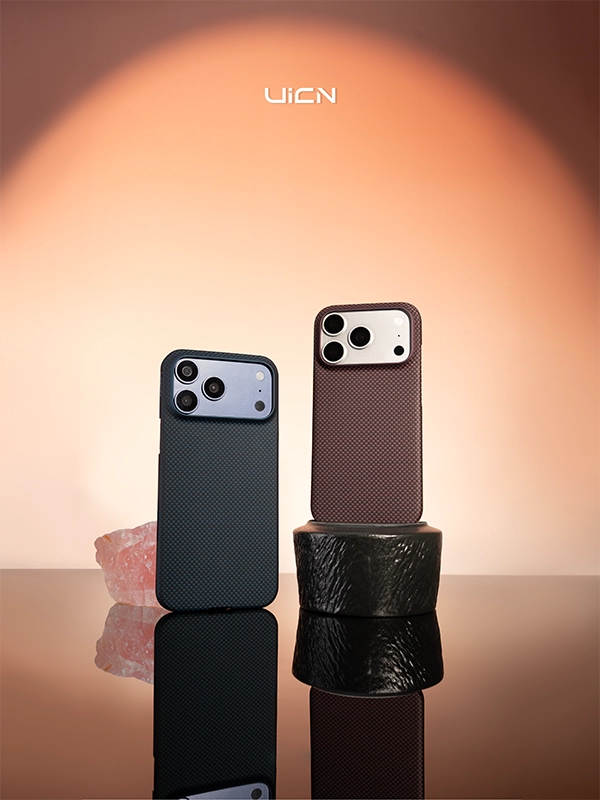
A commute asks a phone to survive three different environments before it ever reaches a desk: a pocket, a bag, and a mount. Each one attacks a case in its own way, and because the wear is cumulative rather than dramatic, it rarely announces itself as a single incident. This guide covers what actually wears a case on the way to work, why sustained vibration deserves separate treatment from impact, and the checks worth running before you leave.
The Three Places a Commute Puts a Phone
| Place | What acts on it | How it shows up |
|---|---|---|
| Front pocket | Abrasive contact from keys, coins and grit | Polished finish, scuffed corners, grit marking the phone frame |
| Bag or backpack | Pressure, grit and constant low-level movement | Contact marks on the back panel, dust behind the lining |
| Vehicle or handlebar mount | Heat and sustained vibration | Finish ageing around the mount, stress on the camera assembly |
Two of these three are entirely within your control — and the third is a choice about the mount rather than about the case. That is the useful part of the list.
Pocket Carry Is an Abrasion Problem
The pocket is the most common way to carry a phone and the most abrasive. Nothing in it is sharp enough to cut a case — but several things are hard enough to polish or mark one over months of daily contact.
- Keys and coins. Metal edges are harder than any case finish and will leave marks wherever they make contact. The damage is cosmetic on the case and much less cosmetic on the phone, because a case that fits loosely allows grit to reach the frame.
- Grit and sand. This is the more damaging of the two. A single grain trapped between the case and the phone acts like a cutting tool every time the phone moves, and it abrades the phone's own surface rather than the case.
- Lint and fabric dust. Over time it collects around the camera surround and in the port openings, where it holds moisture and makes cleaning harder than it needs to be.
- Flexed pockets. A tight trouser pocket squeezes the case every time you sit down. Repeated light flexing is the behaviour that shortens a laminated case's life fastest, and it is easy to avoid by choosing a different pocket.
The practical fix: give the phone a pocket of its own, or at least the same pocket every day. If that is not realistic, a case that fits tightly and covers the frame edges is what keeps grit on the outside, where it can be wiped off.
Bag Carry Is a Pressure and Grit Problem
A bag is gentler than a pocket in one respect and worse in another. There is usually less direct metal contact, but there is far more pressure and far more debris — and a phone that shares a compartment with anything else will find it.
- One compartment, one job. A phone in the same pocket as a laptop charger, a water bottle or a set of keys spends the day being pressed against something harder than itself.
- Load above the phone. Weight pressing down on a phone is what deforms a case over time, and a case that has taken a permanent set no longer fits the phone properly.
- Grit that arrives with everything else. Sand, crumbs and dust settle to the bottom of a bag and stay there. The phone is what picks them up.
The practical fix: a soft sleeve, or a dedicated pocket, does more for a phone in a bag than a thicker case does. If you carry a power bank and a cable, keep them in a separate compartment so the connector ends are not resting against the screen.
Mounts: What a Magnetic Mount Should and Should Not Hold
A mount is the part of a commute where the phone is held by one small interface — and takes the full load of every vibration and every pothole. The interface itself is usually a magnetic ring inside the case, which means the consistency of that ring matters as much as the strength of the magnet.
Two things are worth checking before you rely on a mount every day. The first is alignment: if the ring in the case and the magnet in the mount are offset, the phone hangs at an angle and the load is carried by a fraction of the intended contact area. The second is clearance: a mount that presses on the camera surround transfers vibration directly into the lens assembly, which is the part of the phone least able to absorb it.
The practical fix: test the mount with the case fitted, at the angle you actually drive at, and check that nothing touches the camera. A mount that holds the case face-on, with the ring fully engaged, spreads the load far better than one that grips an edge.
Why Vibration Deserves Separate Treatment
Impact and vibration are different inputs — and a case designed for one is not automatically suited to the other. A drop is a single event with a beginning and an end, and a case absorbs it by deforming, spreading and dissipating the energy.
Vibration does not work that way. It is continuous, it arrives thousands of times a minute, and a case cannot absorb it because the mount transmits it straight through into the phone. That matters most for the camera, where optical image stabilisation suspends the lens assembly on very small compliant elements. Those elements are designed to move in response to hand movement, not to survive a long ride on a handlebar, and sustained high-frequency input is a recognised cause of camera module failure on phones mounted on two-wheel vehicles.
The practical fix: if you ride regularly, carry the phone in a pocket or a bag rather than on the bars. Where a mount is genuinely required, use one with a compliant or damped interface rather than a rigid clamp, and expect the mount to be doing the work that the case cannot.
Heat Is the Part of the Commute Nobody Plans For
A car interior in summer reaches temperatures well above ambient within minutes of being parked — and a phone left on a dashboard or a seat is exposed to all of it. The same applies to a windscreen mount that holds the phone in direct sun while it runs navigation and charges wirelessly at the same time — three heat sources adding to each other.
Aramid fiber cases are thin, which helps them shed heat quickly, but the surface coating and the resin that holds the laminate are still the parts that respond to repeated warmth. Occasional heat is not the problem; a daily hour on a hot dashboard is.
The practical fix: use a vent mount or a shaded position rather than a windscreen mount in summer, and take the case off during fast wireless charging if it becomes noticeably warm.
A Two-Minute Commute Check
- Empty the pocket of keys, coins and loose change before the phone goes in.
- Check that the case is seated fully, with no grit visible along the frame edges.
- Wipe the camera surround and the port openings once a week rather than once a season.
- Confirm the mount engages the magnetic ring centrally and touches nothing else.
- Move the phone out of direct sun whenever the car is parked.
None of these takes more than a few seconds, and together they are the difference between a case that still fits tightly after a year of commuting and one that feels loose by the third month.
Frequently Asked Questions
Is it safe to keep a phone on a motorcycle or bike mount?
It is a compromise rather than a safe or unsafe choice. A rigid mount transmits engine and road vibration directly into the phone, and sustained high-frequency input is what damages stabilised camera modules. If you use a mount, choose one with a damped interface and keep the phone off the bars when you do not need navigation.
Do I need a different case for commuting than for travel?
Usually not. The same qualities help in both: a tight fit, raised edges around the camera and screen, and a finish that does not trap grit. What changes with travel is the environment rather than the case, so the checks matter more than the product.
Does a magnetic mount damage a phone?
The magnet itself does not, and a case built with an aligned ring distributes the load well. The risks are indirect: heat from wireless charging while mounted, and pressure on the camera surround if the mount is poorly shaped.
How often should I clean a case that lives in a bag?
More often than one that lives in a pocket, because a bag delivers more grit. A weekly wipe of the interior with a dry microfibre cloth costs seconds and prevents the abrasive layer that causes most frame marking.
Can a slim case handle a daily commute?
Yes, provided the case covers the corners and edges and sits tightly enough that grit cannot reach the frame. Slim describes the profile, not the level of coverage, and a well-built thin case protects the surfaces that a commute actually threatens.
Conclusion
A commute is not one hazard but three, and they fail differently: abrasion in a pocket, pressure and grit in a bag, heat and vibration on a mount. Address each on its own terms and the case stays tight and crisp for the life of the phone.
The single most useful change is also the cheapest — keep the phone away from hard metal and off the handlebars. For the parts of the routine you cannot change, a case that fits tightly and covers the camera and frame edges is doing more work than a thicker case with a loose fit ever will. To see how UICN builds a slim aramid fiber case for everyday carrying, explore the Apple 18 Series and the wider Everyday Carry and Device Protection articles, or contact us if you are specifying cases for a brand or distribution programme.